NoaCGStudio

Beta Free and open source · In your browser

Create live graphics. Run the show.

Lower thirds, scoreboards and title cards for live shows and streams. Start from a template, import your own SVGs, or have your AI coding agent make them. Then play them straight from NoaCG through a browser source, or connect NoaCG Playout to CasparCG with NoaCG Bridge.

Start creating How it works No account needed to make and export
ProgramOn air

Step 1 · Create

Make a graphic the way you already work.

The template library: a grid of live graphic previews with search and filters
1

From a template

Pick a design from the library, one graphic or a whole kit, and change the text, colours and logo.

Browse templates →

The import step: editable name and role fields placed on an imported design
2

With your own SVGs

Draw it in Illustrator or any tool that saves SVG, then import it. Its text becomes fields you can change during the show.

Prepare your file →

You type to Claude Code or Codex: Make me a clean scoreboard for a floorball stream: home, away, period, clock.
3

With your AI coding agent

Use Claude Code or Codex with the NoaCG CLI. Ask for a graphic, or a whole production with its rundown. Saving needs a free account.

Install the CLI → Set up your agent →

Step 2 · Play or export

Then use them however your production works.

NoaCG Playout is the operator's screen: a rundown, preview and program, and Take, Update and Out. Change names and scores while a graphic is on air.
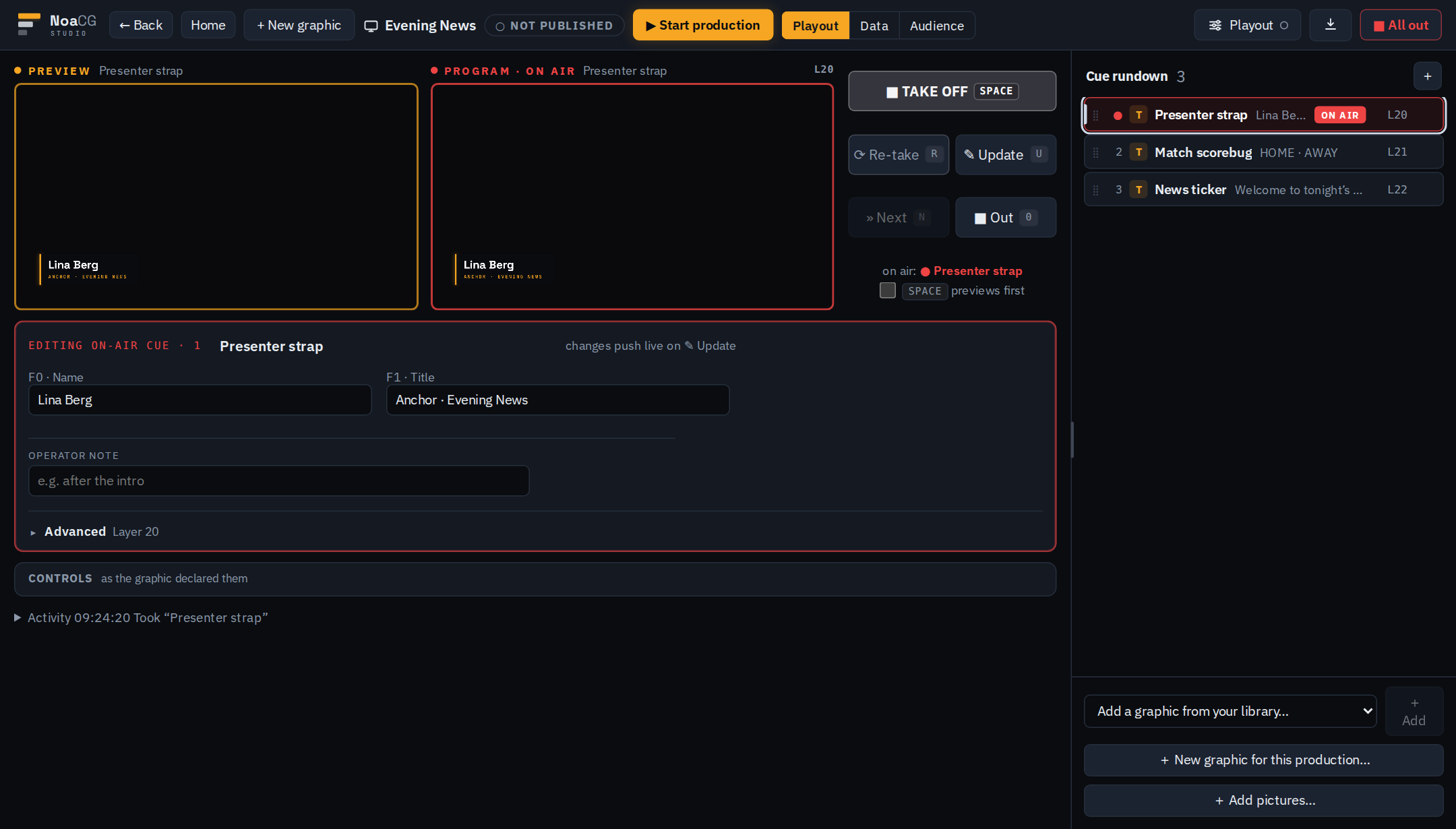
NoaCG Playout
NoaCG Playout: preview and program monitors with a lower third on air, the Take, Update and Out buttons, and a cue rundown of three graphics

CasparCG with NoaCG Bridge

A small Windows program that connects NoaCG Playout to your CasparCG server, and plays the server's clips from the same rundown. Our main production setup.

OBS and browser sources

Add the production's output URL as a browser source. In OBS, run the show from the control panel in a Custom Browser Dock.

Export packages

Download HTML templates for your own playout system. Packages for vMix and others are not yet tested there.
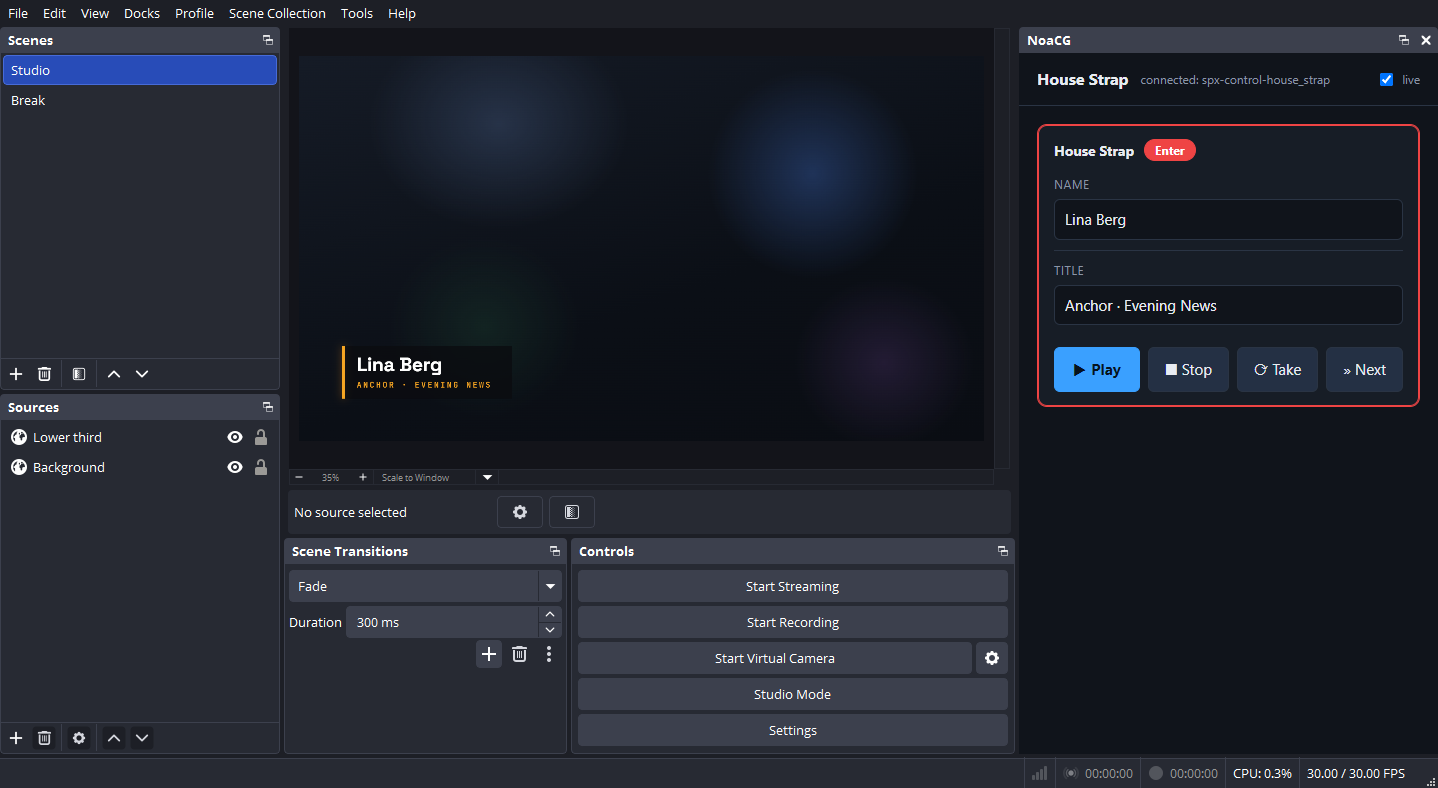
OBS Studio
OBS Studio with a NoaCG lower third on program and the NoaCG control panel in a Custom Browser Dock beside the preview, with Play, Stop and Take
In OBS: the graphic as a browser source, the control panel as a dock.
Download NoaCG Bridge How playout works → Operating needs no account. Publishing a production's output URL takes a free account.

Open standard

OGraf compatible.

OGraf is the EBU's open standard for web graphics. NoaCG graphics export as OGraf packages for renderers that support the standard.

Export as OGraf

Fonts and images included, and checked against the standard on export.

Free OGraf starters

Ready-made OGraf graphics, each with a guide to changing it. Take one →

Play OGraf packages from elsewhere Direction

OGraf graphics from other tools, run from NoaCG Playout. Not built yet.

Free and open source

Everything in the studio is free.

The source is open under the AGPL-3.0. Exported graphics are plain HTML, CSS and JavaScript and keep working without NoaCG. We would like to hear what you think.

What's new

What moved, and what comes next.

Latest update

Playout and Bridge

  • Sounds for graphics: Add sounds to In, Out and steps, with volume and preview.
  • Timed cues: Set how long a graphic stays on air and what happens next.
  • Rundown undo: Undo and redo rundown changes without touching what is on air.
  • CasparCG setup: NoaCG finds the server's channels and video modes, and warns when one is missing.
  • Picture fit: Pictures fit the frame by default, or stretch to fill it.

Editor and templates

  • Drawing: Draw shapes and lines, then edit their points, curves, fill and stroke.
  • Folders and bins: Group layers into folders and keep assets in bins inside the graphic.
  • Easier editing: Placing images, aligning, nudging with the keyboard, undo and text all work better.
  • Community templates: The wizard has Community packs, starting with Pub Quiz.

AI workflows

  • Better previews: Your agent can preview a graphic after a press, at any moment, or over your show's background.
  • Your own look: Your agent designs the look, and NoaCG makes sure the graphic plays.
  • Easier setup: NoaCG is in the official MCP Registry, and the Claude Code plugin installs with one command.

Now on the roadmap

Your own designs and brands

  • Import a layered SVG from any design tool and keep its look, with text you can edit.

Graphics from your AI agent

  • Ask Claude Code, Codex or another agent for graphics and get a production with its rundown ready.

The editor

  • Restyle and animate the parts of an imported design without rebuilding it.

Controls for any graphic

  • Quiz, score and clock controls that work on any graphic, even one you drew yourself.

Productions and playout

  • Clips and audio that play reliably from the rundown on CasparCG.

OGraf, the open standard

  • Every exported graphic passes the official OGraf checker and plays in other OGraf players.

All updates → The whole roadmap →

Make your first graphic.

Start creating